
Afinar Help · article 8 of 10
Ask Afinar
Ask Afinar answers questions about Afinar in plain words, inside the app. It reads these help pages and what Afinar can see of your setup, so it can tell you what to do next.
Ask Afinar is in Afinar for Mac. It isn’t in Afinar for Windows yet.
Open it
Click the ✦ icon in the toolbar at the top right of the Afinar window. Ask Afinar opens beside the window. It’s there during setup too. Click the ✦ icon again, press × or press Escape to close it.
Type your question and press Return. Before your first question, it suggests a few, such as How do I mute the bass in a song?
Ask Afinar is in English only. When your Mac uses Spanish, German or French, it’s hidden.
Where the answers come from
Answers come from Claude, by Anthropic, and draw on these help pages. Under an answer, From Help opens the page it used. Answers can be wrong, so check anything important here.
When Ask Afinar doesn’t know, it says so and offers Send feedback, with your chat filled in for us. You choose whether Afinar’s recent log goes with it. During setup it tells you where to find Send feedback instead, and during a take the button waits until the take is saved.
Buttons under an answer
Some answers end with one or two buttons that do the step for you, such as Open Tone, Turn on Hear yourself or Show in Finder. Ask Afinar stays open beside the window when your screen has room.
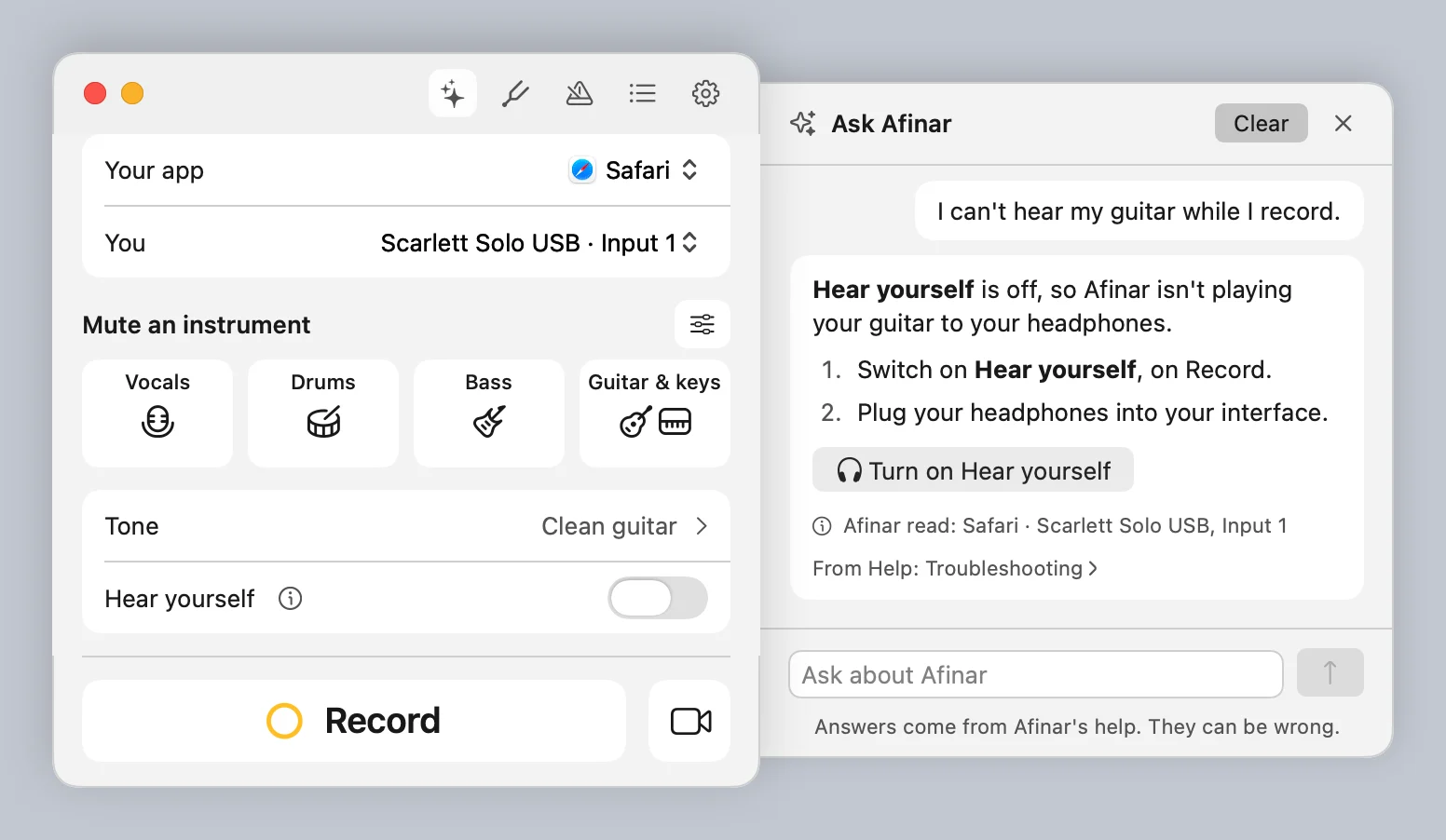
The buttons open a place in Afinar, Finder or System Settings. Only Turn on Hear yourself changes a setting, and the Hear yourself switch on Record turns it off again. No button records, deletes, shares or sends anything.
During a take, every button except Show in Finder and the System Settings buttons waits until the take is saved, and says so. During setup, only the System Settings buttons work, such as Open Microphone Settings. If Hear yourself is already on, the answer says Hear yourself is on in place of its button.
What it sends
Ask Afinar sends your questions, its earlier answers in the chat, a random ID that counts your questions for the day, and a few lines about your setup. Those lines name the app your song plays in, your input, whether the microphone is allowed, whether Hear yourself is on, what’s muted, whether a take is running, your tone’s name, which can be an amp model’s file name, and which buttons your version of Afinar can show. It never sends your takes, your songs or your videos. Afinar read, under an answer, lists the main things it looked at.
The chat lasts until you quit Afinar. Clear starts over.
Limits
You can ask a set number of questions each day. When five or fewer are left, Ask Afinar says how many. If it’s busy or offline, it says so and offers Try again. The help pages are always open, and Open Help takes you here.